
Choose Options | Get Started To Direct Order

Price Total:RM115.00
Unit Price :RM115.00
Embossing Seal Malaysia

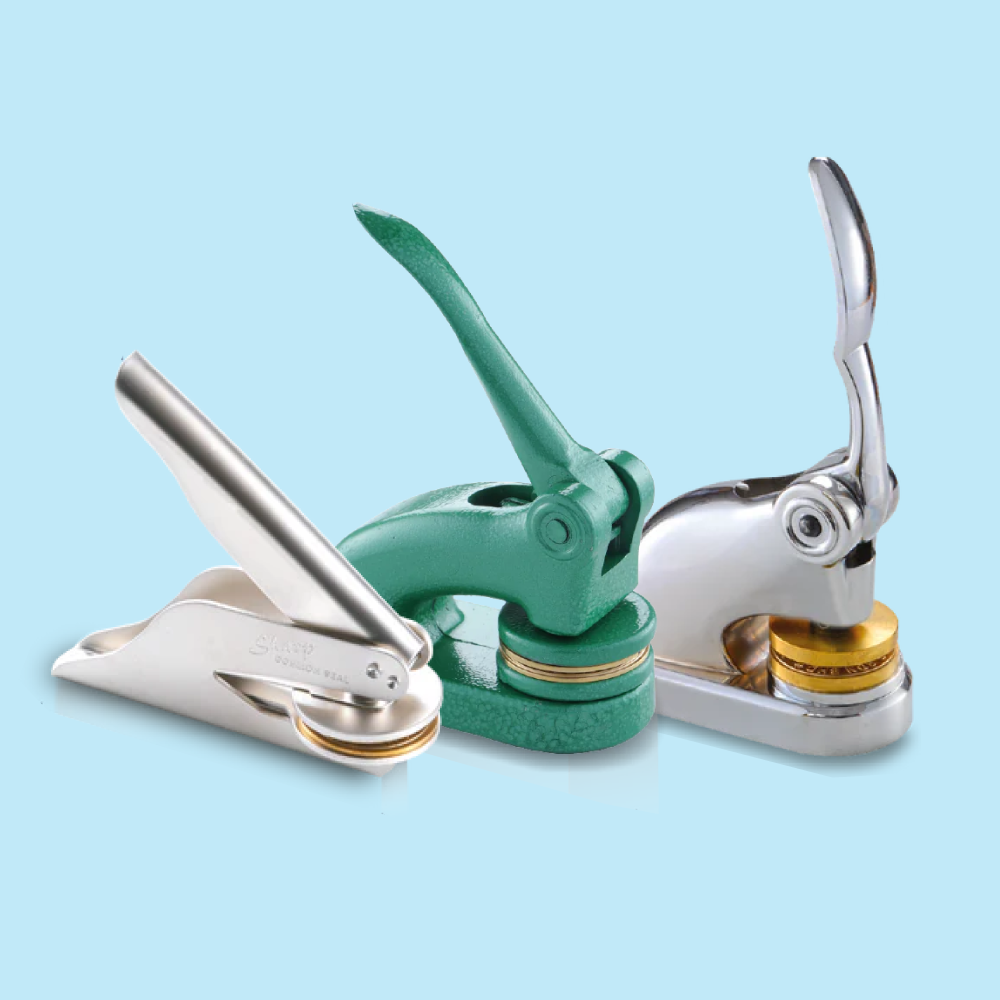
Custom Pocket & Desktop Embossing Seals

Create a permanent raised impression without ink on suitable paper documents, certificates, stationery and invitations. Choose the required Pocket or Desktop embosser model and prepare black-and-white artwork using its matching product guideline.

From 1 Unit Pocket & Desktop Models 39mm / 42mm / 52mm No Ink Required 2 Working Days

Choose Your Embossing Seal Model

Select the exact model first because each embosser has its own size and matching artwork guideline.

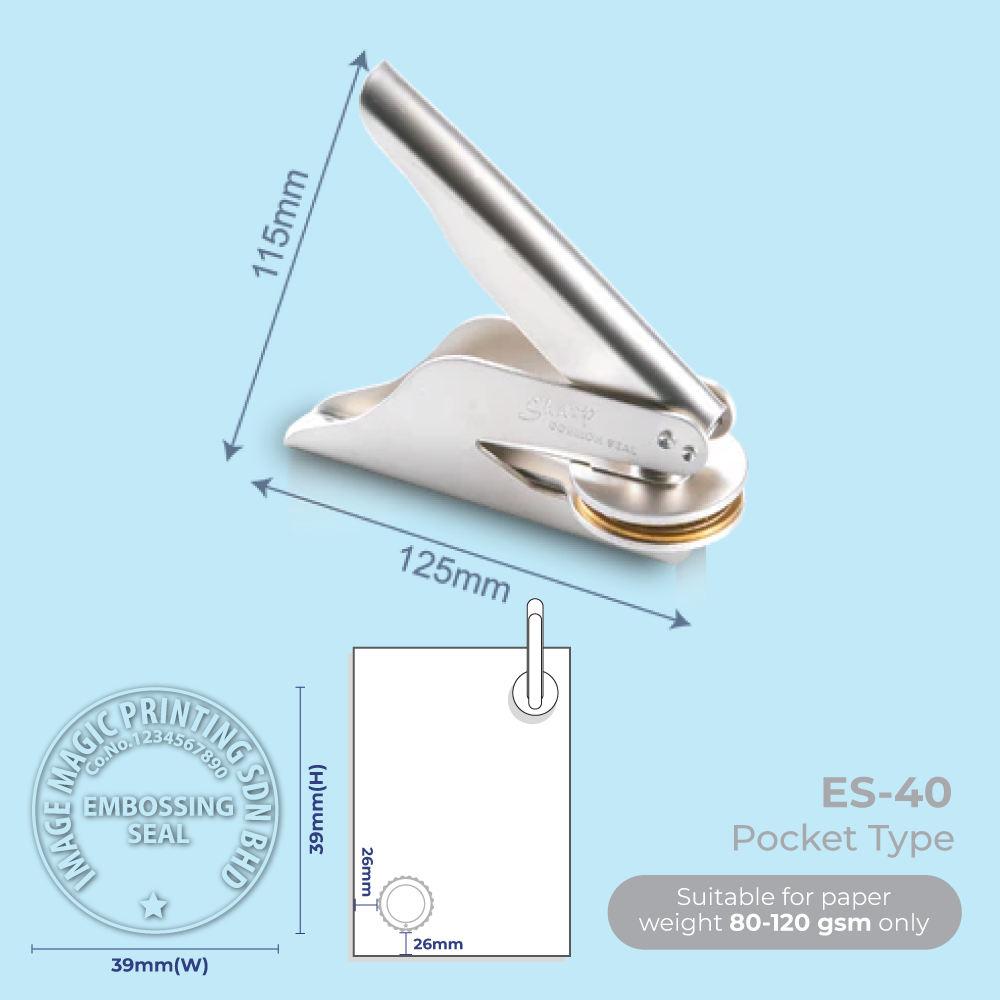
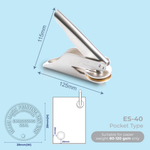
ES-4039 × 39mm – Pocket TypeCompact portable embossing-seal model.
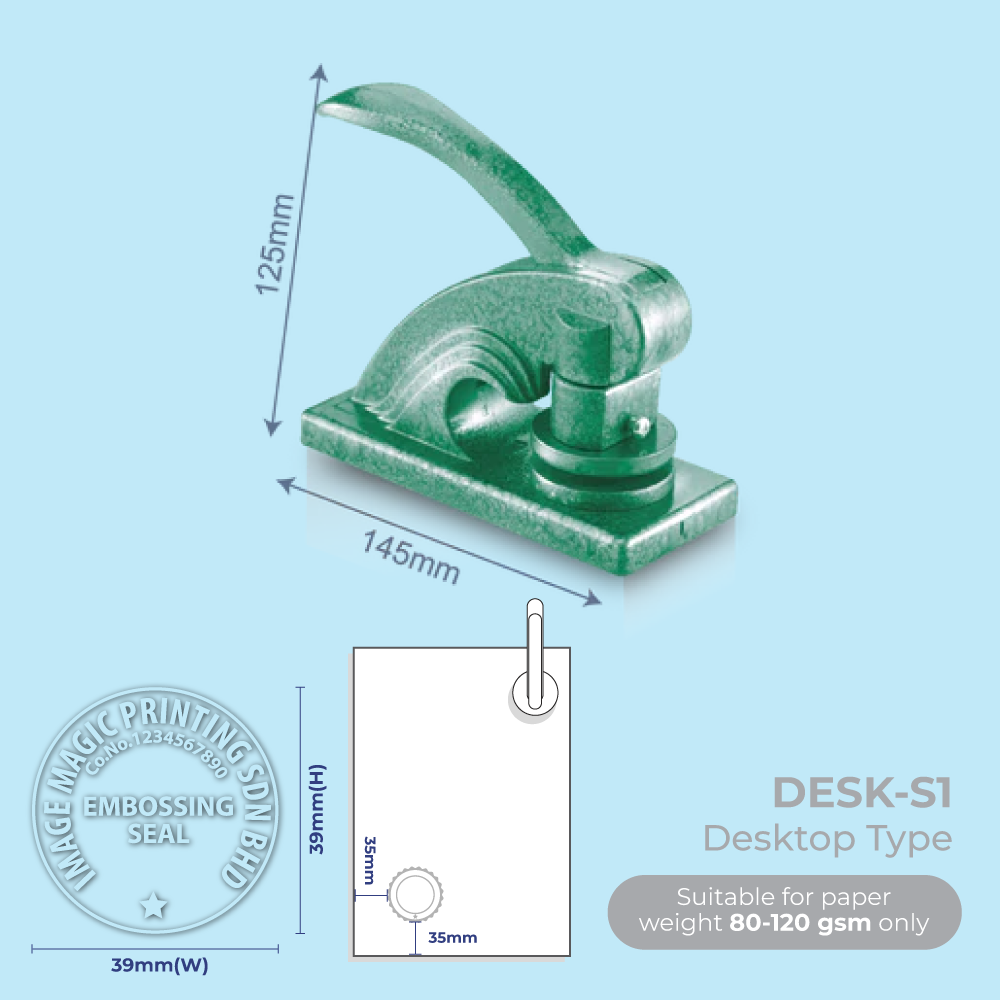
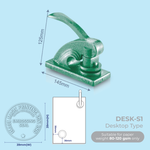
DESK-S139 × 39mm – Desktop Type39mm desktop configuration.
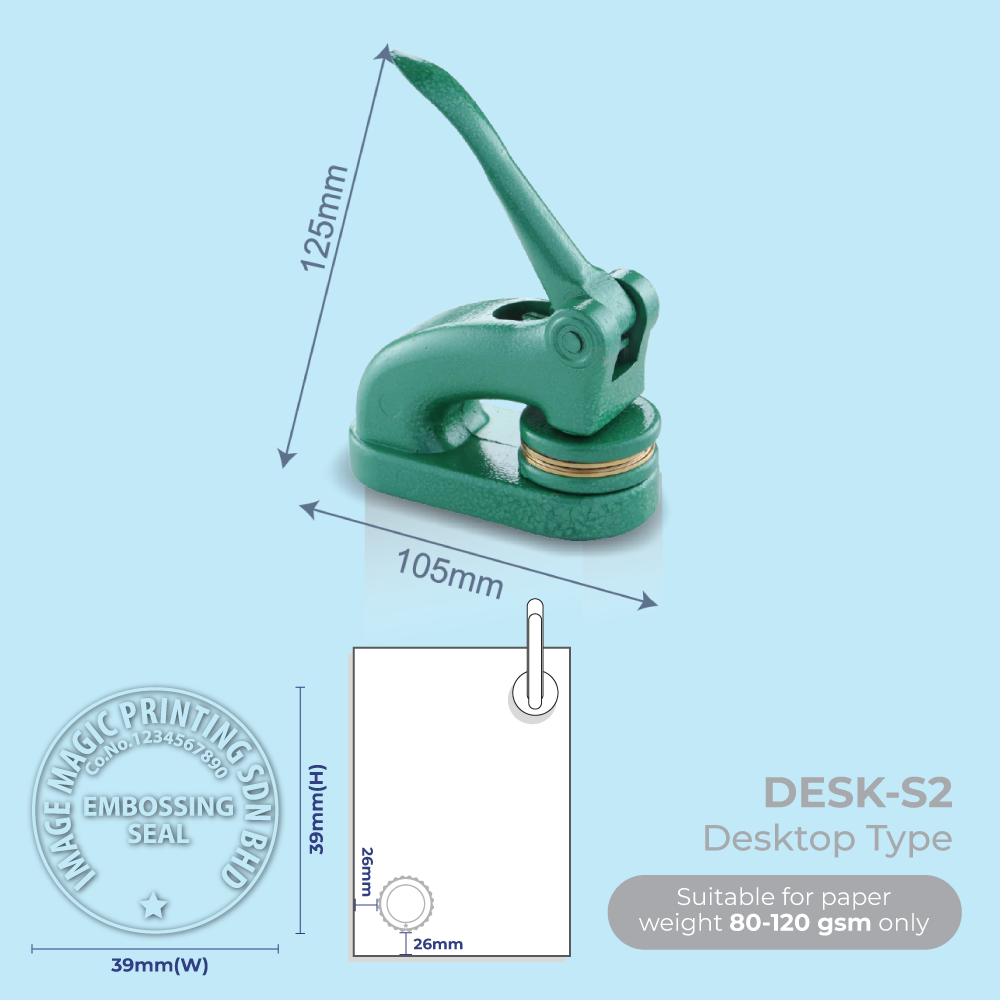
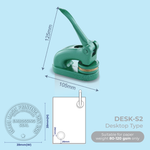
DESK-S239 × 39mm – Desktop TypeSeparate 39mm desktop model and template.
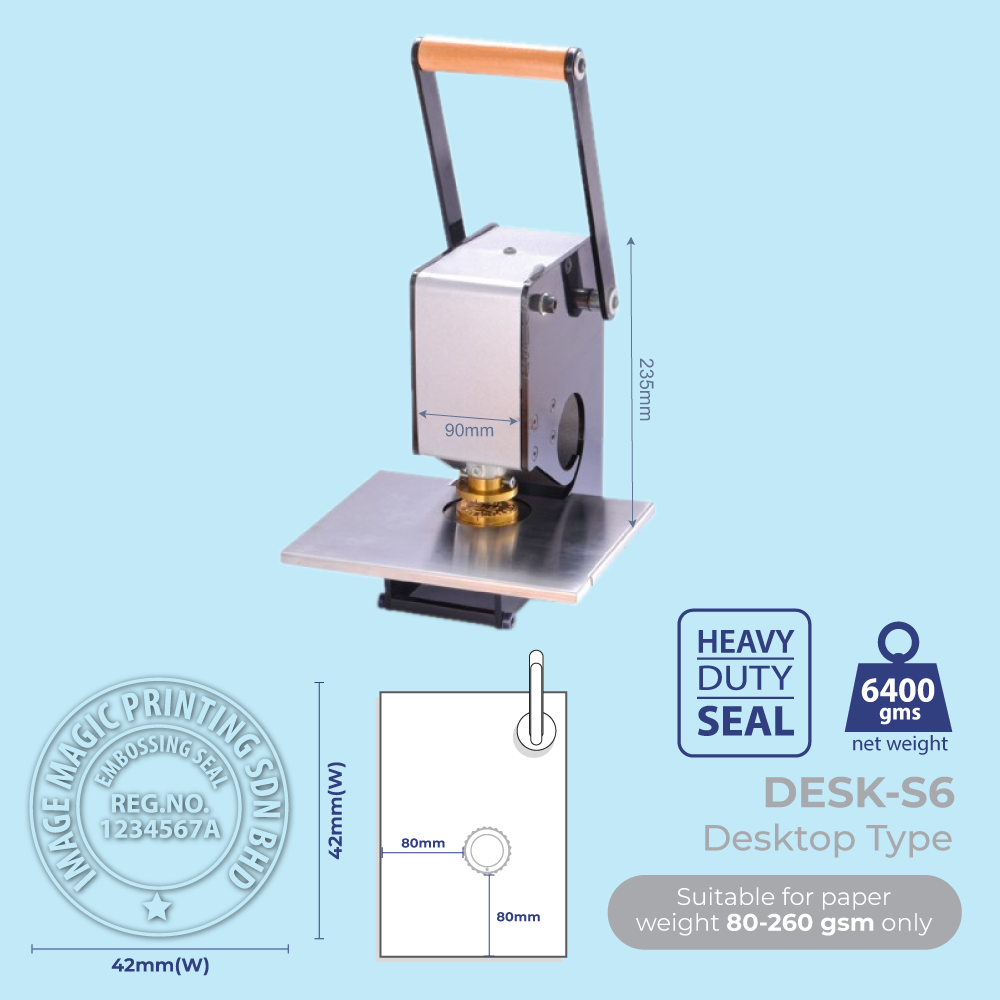
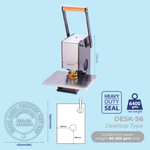
DESK-S642 × 42mm – Desktop TypeLarger desktop embossing area.
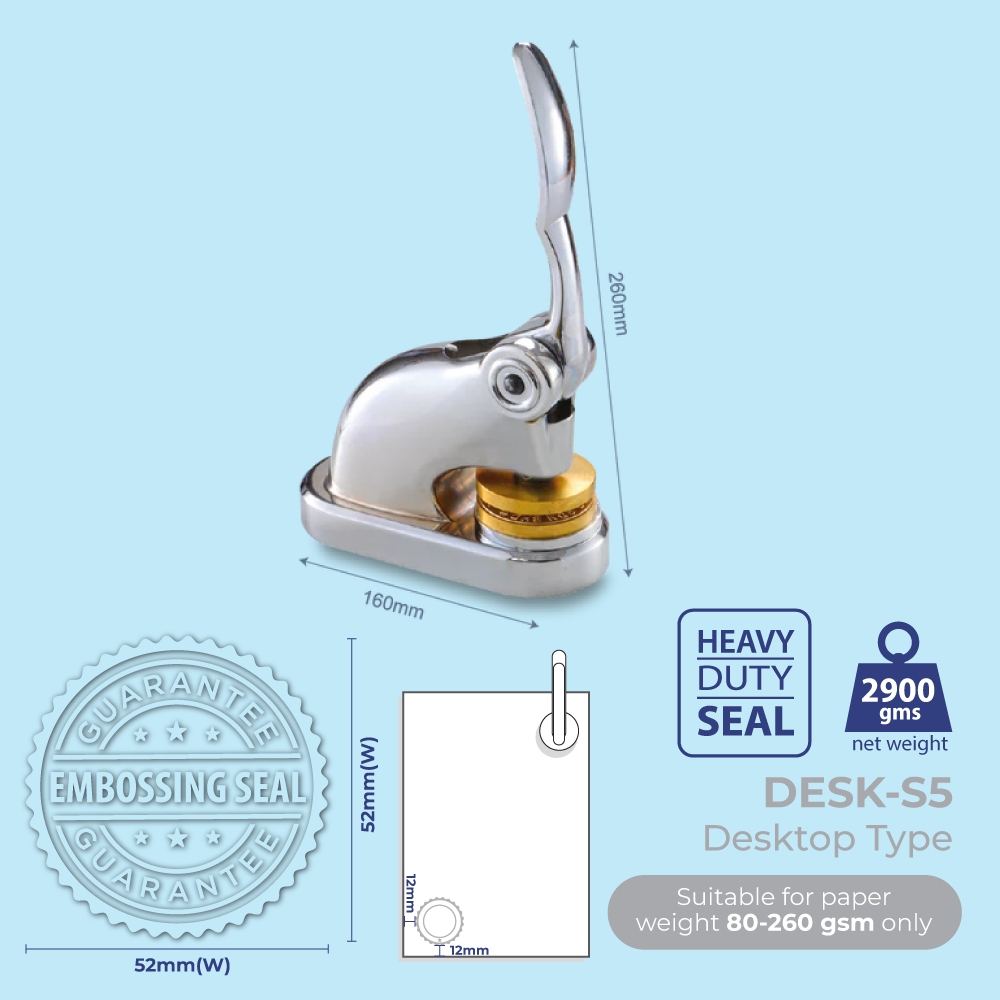
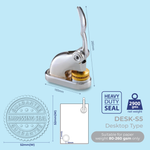
DESK-S552 × 52mm – Desktop TypeLargest currently listed desktop model.
DESK-S1 and DESK-S2 are separate 39 × 39mm desktop models. Choose the exact product model shown in the calculator and use its corresponding guideline rather than treating the two models as interchangeable.

Product Specifications

Minimum Order1 UnitOrder one customised embosser per design
ImpressionRaised / EmbossedNo ink is required
ArtworkBlack & WhiteBlack artwork represents the raised area
Production Time2 Working DaysDelivery or collection time is additional

How an Embossing Seal Works

No Ink Required The embosser forms the design physically in the paper rather than printing it with ink.
Raised Impression The custom die creates a tactile raised mark when the paper is pressed between the embossing plates.
Reusable Device Suitable for repeated document, certificate and stationery embossing.

Embossing Orientation

Orientation is important because the die must be positioned so the design reads correctly from the intended paper edge.

TopFor embossing from the top edge of the document.
BottomFor embossing from the bottom edge.
LeftFor embossing from the left-hand edge.
RightFor embossing from the right-hand edge.
Confirm the required Top, Bottom, Left or Right orientation before production. If the orientation is wrong, the completed die may not read correctly when inserted from the intended document edge.

Paper Compatibility

Up to 120gsm Suitable as a general reference for normal office, certificate and stationery papers.
Up to 150gsm Possible depending on the design, paper and strength of the selected embosser.
Specialty Paper Confirm suitability when using unusually thick, coated, textured or laminated materials.
Paper thickness is only one factor. Large solid embossed areas and complex designs can require more pressure than simple text or line artwork.

Suitable for

Company DocumentsCertificatesAwardsCorporate StationeryEnvelope FlapsWedding InvitationsEvent InvitationsBookplatesLogo EmbossingProfessional Documents

Artwork Preparation Guidelines

Embossing artwork is different from normal colour printing. Prepare a simple black-and-white die design using the exact guideline for the selected embosser model.

File Format
  • AI or PDF files are recommended.
  • Prepare the design in black and white only.
  • Convert all fonts to outlines.
  • Vector artwork is preferred for logos and fine details.
Black = Raised Area
  • Solid black artwork indicates the area that should appear raised.
  • White areas represent the background or non-raised area.
  • Do not submit colour, gradients or photographic effects as the final embossing die artwork.
Use the Exact Model Template
  • ES-40: use the 39 × 39mm Pocket guideline.
  • DESK-S1: use its 39 × 39mm Desktop guideline.
  • DESK-S2: use its separate 39 × 39mm guideline.
  • DESK-S6: use the 42 × 42mm guideline.
  • DESK-S5: use the 52 × 52mm guideline.
Line Thickness
  • Avoid lines thinner than 0.3mm.
  • Avoid extremely small text and very fine decorative details.
  • Simplified vector artwork generally produces a clearer embossed impression.
Logo & Text Artwork
Company names, registration details, initials, monograms and suitable logos can be prepared as black-and-white embossing artwork. Complex logos may need to be simplified for a cleaner die impression.
Orientation
Indicate whether the embosser will normally enter the paper from the Top, Bottom, Left or Right edge. This allows the die orientation to be prepared correctly.
Artwork Preview
Check the final logo, wording, spelling, registration number and orientation carefully before approving the embossing artwork for production.
One Design Per Embosser
Each embossing seal is manufactured for one final approved design. A different logo, wording or seal design should be ordered as a separate unit.

Authorisation Requirement

An authorisation letter is required when the embossing seal is for a university, college, school or government sector. Production will not proceed without the required authorisation.

Customers are responsible for ensuring that they are authorised to reproduce any official name, logo, seal, professional credential or institutional identity supplied for the order.

Production & Delivery

2 Working Days Standard production time for the online embossing-seal configuration.
Approved Artwork Required Production starts after the required artwork and information are ready.
Delivery Is Additional Courier delivery or self-collection takes place after production.

How to Order an Embossing Seal

  1. Select Model Choose ES-40, DESK-S1, DESK-S2, DESK-S6 or DESK-S5.
  2. Prepare Artwork Use the exact model template with black-and-white artwork.
  3. Confirm Orientation Specify Top, Bottom, Left or Right where required.
  4. Review & Order Check artwork and authorisation requirements before checkout.

Frequently Asked Questions

What embossing seal models are available?
Available product guidelines include ES-40 Pocket at 39 × 39mm, DESK-S1 and DESK-S2 Desktop at 39 × 39mm, DESK-S6 Desktop at 42 × 42mm and DESK-S5 Desktop at 52 × 52mm.
What is the minimum order quantity?
The embossing-seal product starts from one unit per design.
What is the difference between Pocket and Desktop types?
ES-40 is the compact Pocket Type. DESK-S1, DESK-S2, DESK-S6 and DESK-S5 are Desktop Type embossers. Select the model that suits your required size and use its matching artwork guideline.
Does an embossing seal require ink?
No. An embossing seal creates a physical raised impression in the paper and does not require stamp ink.
What artwork format should I supply?
AI or PDF black-and-white artwork is recommended. Black represents the raised area, white represents the background, fonts should be outlined and lines should not be thinner than 0.3mm.
Why do I need to specify the orientation?
The embossing die must be aligned according to the edge from which the document is inserted. Specify Top, Bottom, Left or Right so the raised design reads in the correct direction.
What paper thickness can I emboss?
Standard paper up to approximately 120gsm is the normal reference. Paper up to approximately 150gsm may be possible depending on the artwork, material and embosser strength.
Do I need an authorisation letter?
An authorisation letter is required for embossing seals representing a university, college, school or government sector.
How long does production take?
Standard production is two working days. Courier delivery or self-collection time is additional.

Need a Custom Embossing Seal?

Choose your Pocket or Desktop model, prepare black-and-white artwork and confirm the required document-entry orientation before ordering.

WhatsApp +6012-651 2849

Upload Artwork Guideline

  • File Format: AI / PDF (black & white only)

  • Colour: Black shapes = raised area, White = background

  • Fonts: Outlined

  • Shape: Circular or rectangular area max 38mm

  • No thin lines under 0.3mm

📥 Don’t have artwork? Send us your logo or text — we’ll help create a preview.



